Sorting and Columns
Change the order of the inventory list and the columns that it shows
This guide changes the order of the cars and the columns of the inventory table.
Requirements: None. The price orders and the Price column need Car Financial Access.
Sort the list
- Open Inventory.
- Select the sort button. The button shows the current order.
- Choose an order.
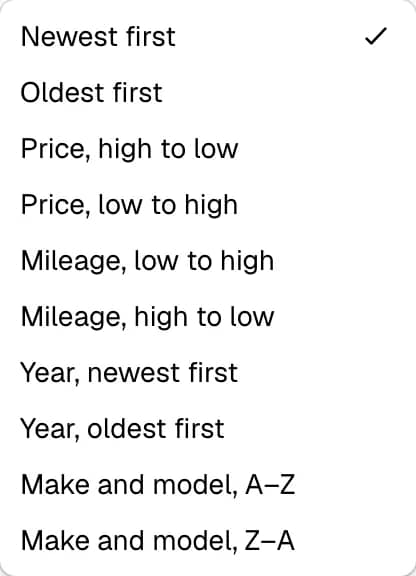
| Order | Label |
|---|---|
| Date added | Newest first, Oldest first |
| Price | Price, high to low, Price, low to high |
| Mileage | Mileage, low to high, Mileage, high to low |
| Year | Year, newest first, Year, oldest first |
| Name | Make and model, A–Z, Make and model, Z–A |
The default order is Newest first. Any change of order returns the list to the first page.
Sort with a column header
Select the header Vehicle, Year, Mileage, Price or Added. The header sorts the whole inventory, not only the cars of the current page. Select the header again to reverse the direction. The sort button and the headers always show the same order.
Choose the columns
- Select Columns.
- Tick or clear a column in the menu.
The menu offers Plate, VIN, Year, Mileage, Status, Partner, Price and Added. The Vehicle column always stays.
The dashboard remembers the choice in the browser. The next visit from the same browser shows the same columns.
Rules
- The price orders and the Price header are absent without Car Financial Access. The server also refuses a price order for that team member.
- The Partner column appears only for a team member who can read partners.
- The Status column shows a derived badge. See the Inventory overview.