Company
Change the name, logo, country, currency and time zone of the dealership
The company section holds the name, the logo and the regional settings of the dealership.
Requirements: Every team member may open Company and read it. Only the owner may change the details. For other roles, the fields are disabled and the save controls do not appear.
Steps
- Open Settings and select Company.
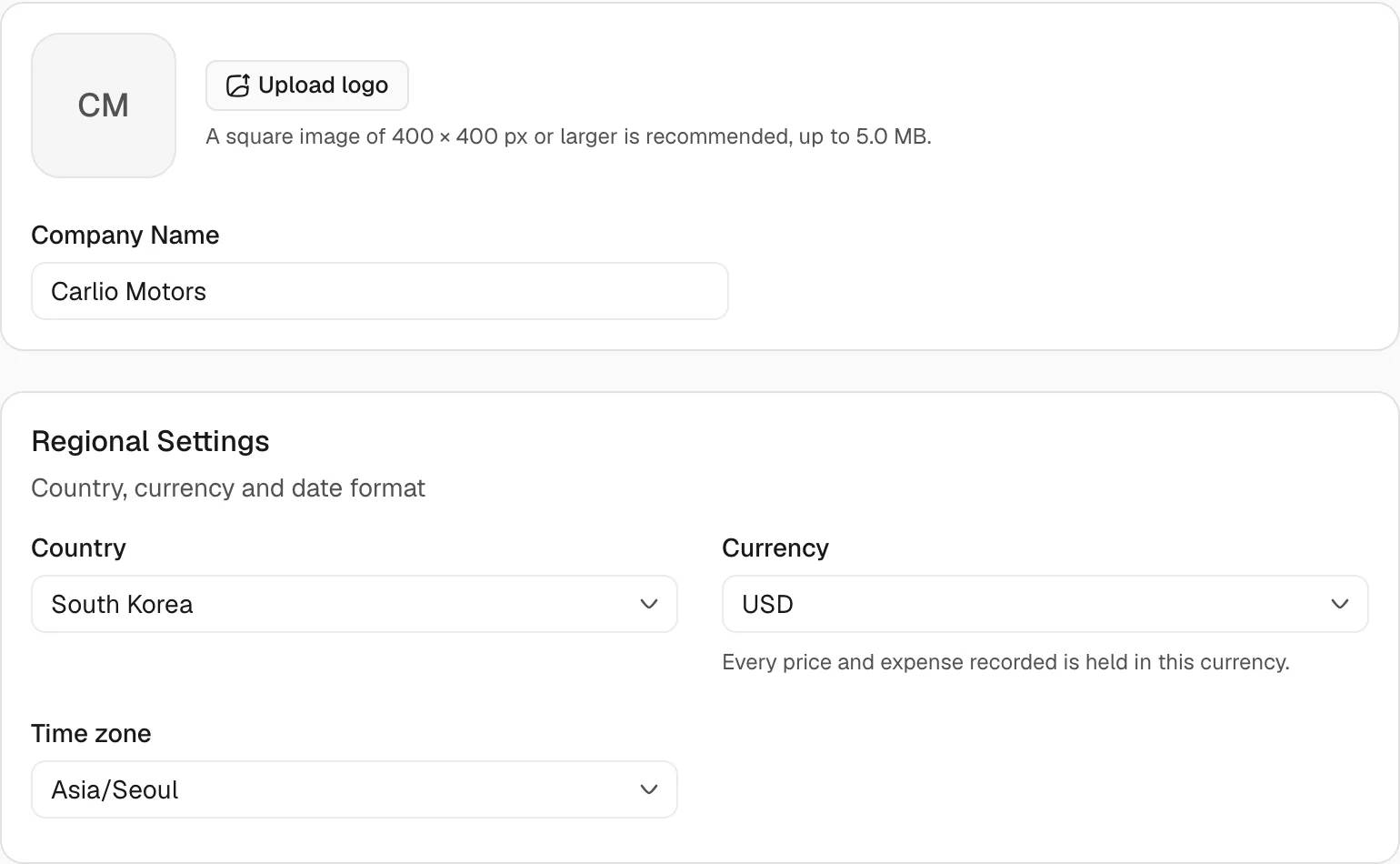
- To set the logo, select Upload logo and choose a file. When a logo exists, the button reads Change logo. Select the Remove logo button on the logo to delete it.
- Edit Company Name. The name needs at least 2 characters and at most 100.
- Under Regional Settings, select a Country, a Currency and a Time zone. Each field offers a search box.
- To adopt the zone of the computer in use, select Use this device's zone followed by the zone name. The button appears when the selected zone differs from the zone of the device.
- Select Save Changes in the bar Unsaved Changes. Select Discard to return every field to the saved values.
Result
The message The company profile has been updated. appears. The save bar closes.
Details
The card Details shows data that nobody edits.
| Item | Content |
|---|---|
| Company ID | The identifier of the dealership. A button copies it. |
| Owner | Name and email address of the owner. |
| Employees | The number of people. The entry links to Team. |
| Created | The creation date of the dealership. |
Limits
- The logo accepts JPEG, PNG and WebP files up to 5 MB. The page recommends a square image of 400 by 400 pixels or larger.
- The page reports a file of another type, an empty file or a file above the size limit. The saved logo stays unchanged.
- The country may stay empty. The currency and the time zone must have a value.
The currency applies to every price and expense that the dashboard records. After the currency changes, the dashboard restates the existing records in the new currency. Each record uses the exchange rate of its own date. If a rate is missing, the dashboard reports which rate is missing and the restatement does not complete.
Notes
- Roles that may open Permissions see a link to that section below the company details.