Customers
Add Customers
Create a customer record and correct its details later
Add a customer before opening a deal, because every deal needs a customer.
Requirements: The Add Customers permission and Customer Directory Access. Editing needs the customer update permission, held by the Owner and Manager roles. The Sales Partner field appears only with Partner Directory Access.
Steps
- Select Customers in the sidebar.
- Select New Customer. The Add a Customer dialog opens.
- In Customer Type, select Individual or Company.
- Enter the name in Full Name or Company Name. The name is the only required field.
- Optional: open the Contact details section and enter ID Number, Email, Phone, Country, City and Address.
- Optional: open the Source section.
- In Sales Partner, select the partner who introduced the customer.
- In How they found us, select Direct, Through a partner, Referral or Other.
- Optional: open the Notes section and enter Internal notes.
- Select Add Customer.
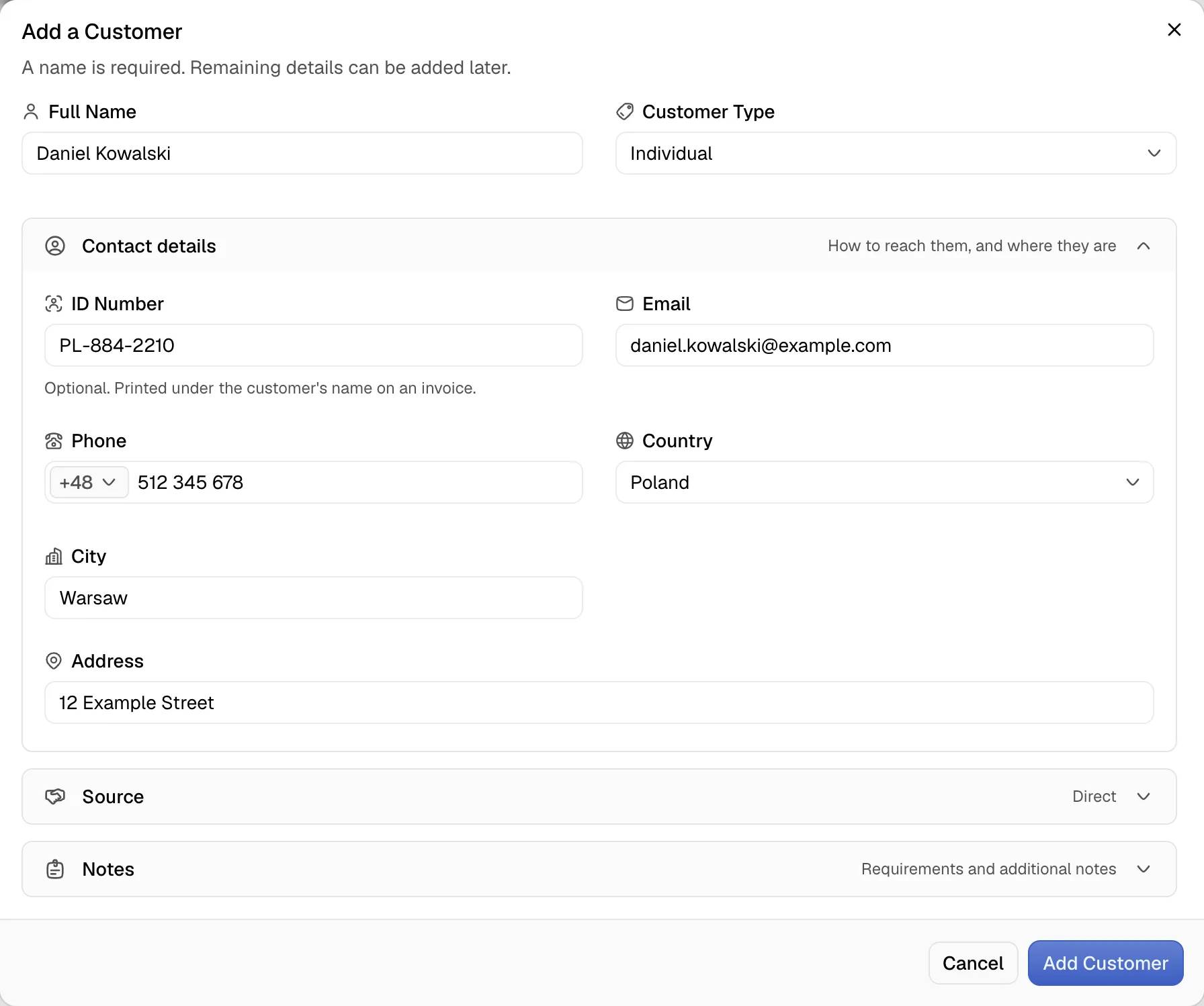
The toast shows the customer name followed by added.
Edit a customer
- Open the customer page.
- Select Edit. The Edit Customer dialog opens with the same fields.
- Change the fields and select Save Changes.
The toast Customer updated confirms the change. A change to the customer record does not change deals that are already agreed.
Edit a contact value in place
The Contact card in the side column edits one value without the dialog.
- Select the value of ID Number, Email, Phone or Address.
- Enter the new value.
- Press Enter or select the save button. Escape or the cancel button discards the change.
An empty value clears the field. An invalid email address is refused with an error toast.
Notes
- Selecting a sales partner sets How they found us to Through a partner.
- The ID Number is printed under the name of the customer on an invoice.
- The Export badge on the customer page is calculated from the country. It appears when the customer country differs from the dealership country. A missing country on either side shows no badge.
- A customer without an email address or phone still works in deals. The Contacts card of a deal shows No contact details recorded.